
How do I use the remote control for an LED candle?
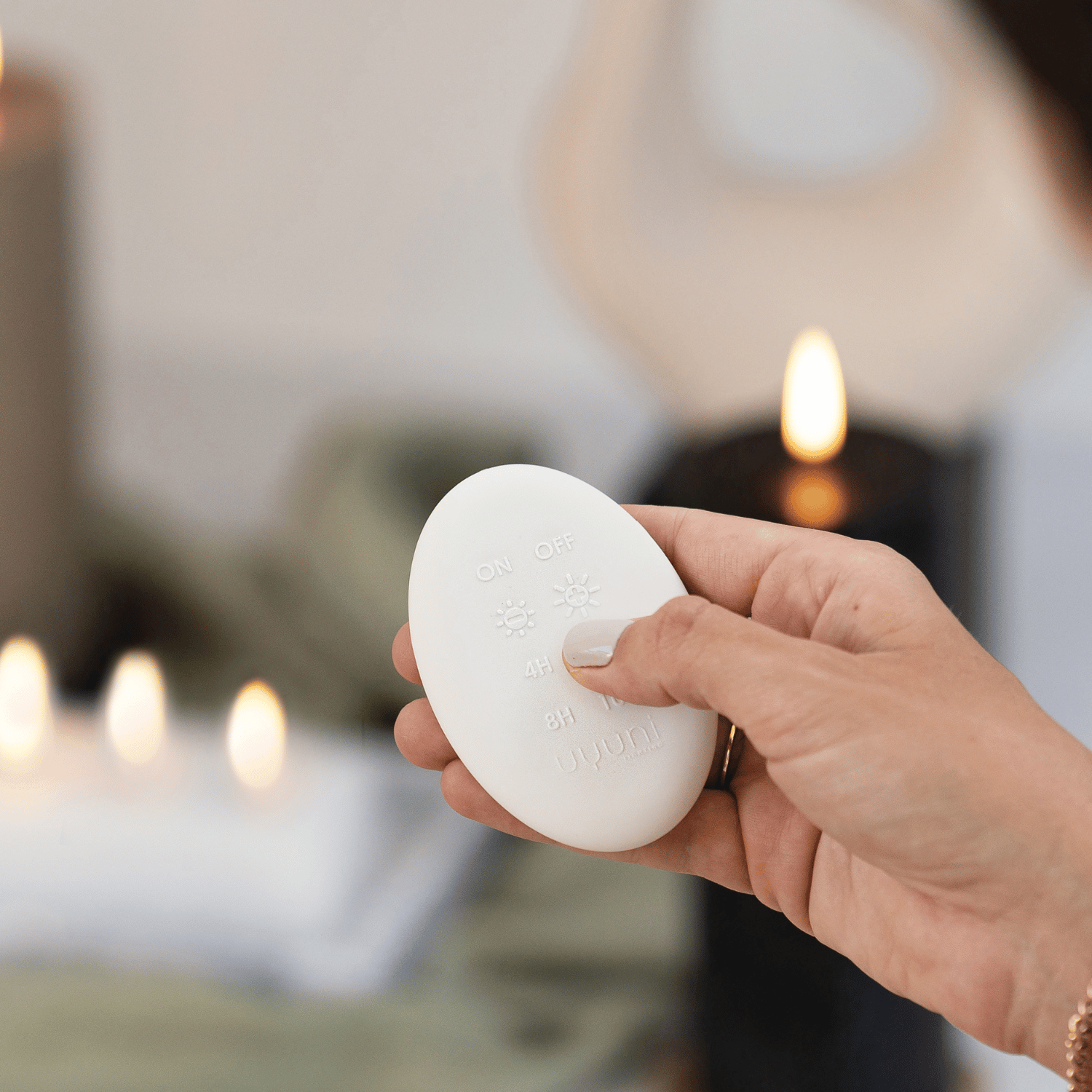
With the remote control, you can operate your LED candle from your chair — handy if the candle is in a lantern, high on a shelf, or if you want to operate multiple candles at once.
Remote control functions (per model):
- On/Off — switch candle on or off
- Timer — set 4 or 8 hours
- Dimmer — adjust brightness
- Flicker speed — set flame intensity
Range: Most remote controls work up to approx. 5-8 meters, provided there are no obstacles. The sensor is on the bottom or side of the candle — make sure you point the remote control towards the sensor.
Remote control not working?
- Check if the battery in the remote control is not dead (usually a CR2032 coin cell)
- Check if the candle is on
- Point the remote control directly at the bottom of the candle
- Remove any obstacles between you and the candle
Multiple candles at once? Yes — LED candles from the same brand often respond to the same remote control. Turn on multiple candles and control them all at once.